Home › Features › Accessibility Features
Accessibility Features
Mimic Masters is built to be played by everyone. Every option on this page is free, works in every mode, and lives in Settings > Accessibility.
Nothing here makes the game easier or harder. It just makes it comfortable to play.
Colour-Blind Options
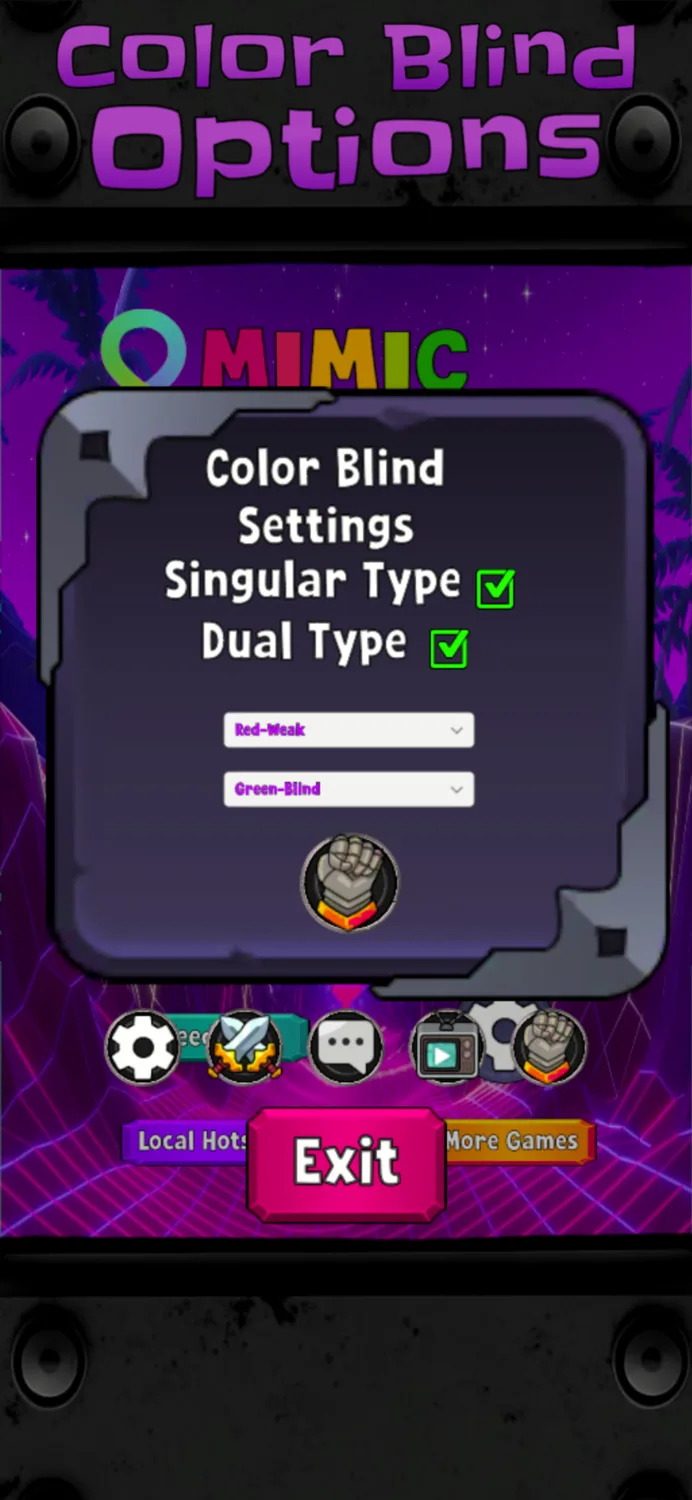
Turn on Colour Blind Mode and pick the type that matches your colour vision. The board's colours are adjusted so every pad stays easy to tell apart.
- Red-weak and red-blind
- Green-weak and green-blind
- Blue-weak and blue-blind
- Yellow-weak
- Total colour blindness
Have two types at once? Turn on Dual Type and choose a second one. Both are applied together.
Dark Mode
Switches the game to darker backgrounds that are easier on your eyes, especially at night. Turn it on in Settings.
Light Sensitivity Safe Mode
For players sensitive to bright or flashing light. It turns off flashy visual effects, lowers the game's lighting and switches on Dark Mode for you.
The game uses flashing pads by design. If flashing light affects you, we recommend turning this on before you play.
Motion Sickness Mode
Hides the moving video background so the screen behind the board stays still. Turn it back off any time and the background returns.
You can also turn off Streak Feedback in Settings to stop the screen shaking as your streak builds.
Tell Us What You Need
Is something hard to see, hear or reach? We want to know. Send us your ideas through Quick Feedback or In-Depth Feedback.