
You get the files, not a locked program
Change the settings, the look, or the model itself, for your own use.
Three Levels of Editing
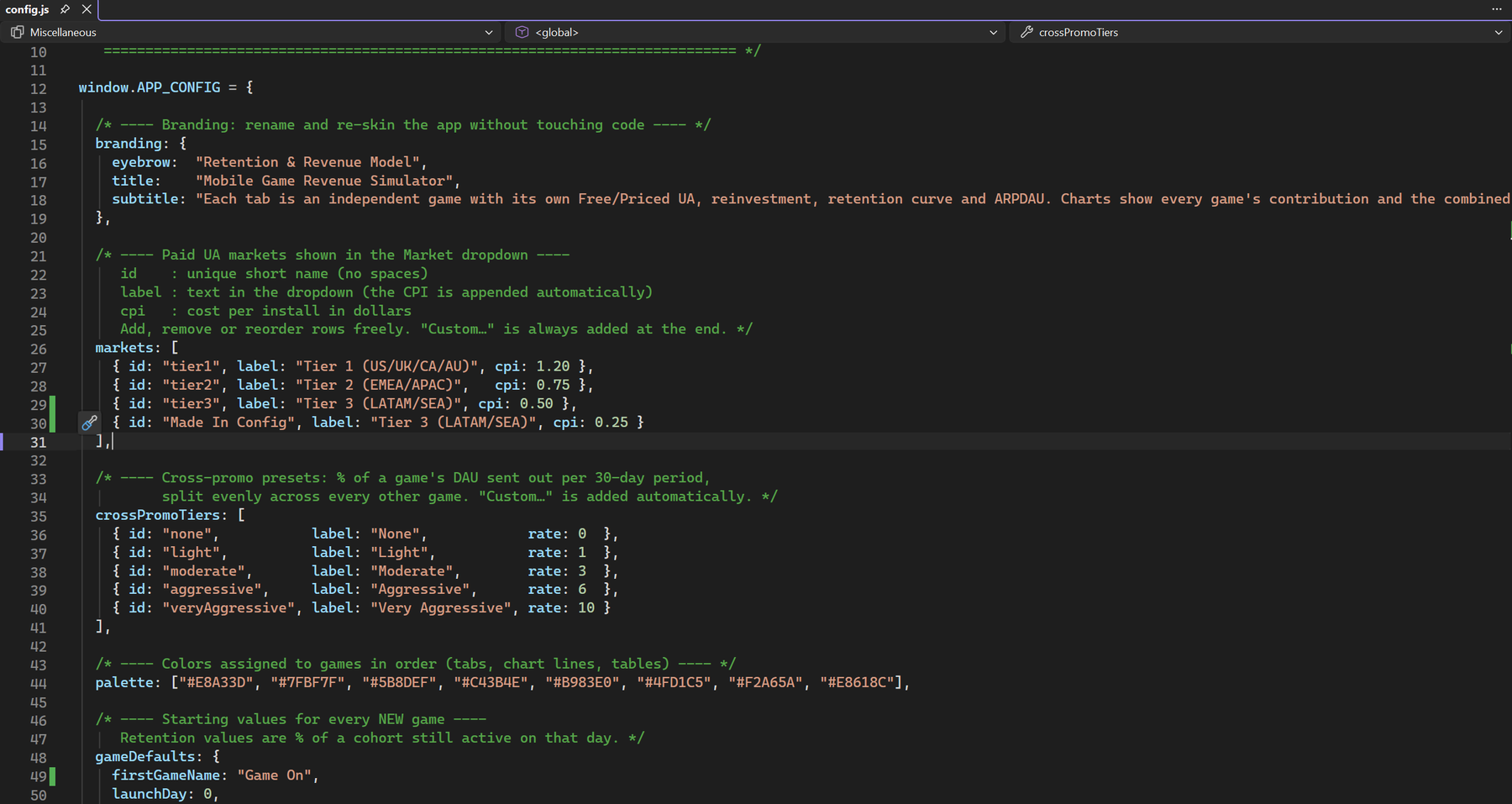
config.js
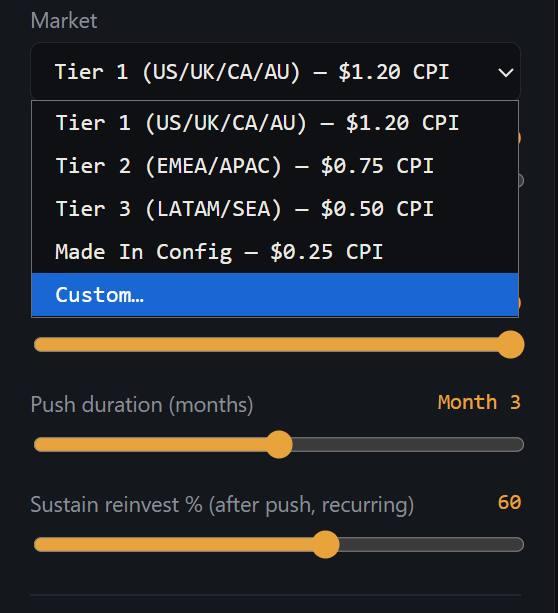
App name and header text, market presets and CPIs, cross-promo presets, currencies and rates, seasonality shapes, range spreads, game colors, starting values for new games, slider ranges. Edit, then press Ctrl+R.
styles.css
Colors, fonts and layout. Edit, then press Ctrl+R.
app.js
Retention, reinvestment, cross-promo, costs, tax, range analysis, charts and tables. Edit, press Ctrl+R; an installer can be built with Node.js.
See It Happen
Built-in Safety Net
- The File menu opens the settings file and the source folder
- Restore Default Settings overwrites config.js with the original
- A broken settings file shows an error message instead of a blank window
- The View menu has Developer Tools for finding errors
- An editing guide ships next to the app
- The full project is included as a zip for rebuilding
Ideas You Could Add
Ideas, not promises: things the files make possible if you want to build them.
What the License Allows
One business, for its own internal use. Edit the files for your own use inside your own business. You may not sell, share or publish the app or your modified version, build a competing product from it, run it for clients or other businesses, or use it to train AI models. Read the license
The charting library inside (Chart.js) is MIT licensed and keeps its own license file.